Would you like to sign out?

Select Country

  • Afghanistan English
  • Albania English
  • Algeria English
  • American Samoa English
  • Andorra English
  • Angola English
  • Anguilla English
  • Antarctica English
  • Antigua and Barbuda English
  • Argentina Español
  • Armenia English
  • Aruba English
  • Australia English
  • Austria English
  • Azerbaijan English
  • Bahamas English
  • Bahrain English
  • Bangladesh English
  • Barbados English
  • Belarus English
  • Belgium English
  • Belize English
  • Benin English
  • Bermuda English
  • Bhutan English
  • Bolivia Español
  • Bosnia and Herzegovina English
  • Botswana English
  • Bouvet Island English
  • Brazil English
  • British Indian Ocean Territory English
  • British Virgin Islands English
  • Brunei English
  • Bulgaria English
  • Burkina Faso English
  • Burundi English
  • Cambodia English
  • Cameroon English
  • Canada English
  • Cape Verde English
  • Caribbean Netherlands English
  • Cayman Islands English
  • Central African Republic English
  • Chad English
  • Chile Español
  • Christmas Island English
  • Cocos (Keeling) Islands English
  • Colombia Español
  • Comoros English
  • Congo English
  • Cook Islands English
  • Costa Rica Español
  • Côte d’Ivoire English
  • Croatia English
  • Cuba Español
  • Curaçao English
  • Cyprus English
  • Czech Republic English
  • Democratic Republic of the Congo English
  • Denmark English
  • Djibouti English
  • Dominica English
  • Dominican Republic Español
  • Ecuador Español
  • Egypt English
  • El Salvador Español
  • Equatorial Guinea English
  • Eritrea English
  • Estonia English
  • Ethiopia English
  • Falkland Islands English
  • Faroe Islands English
  • Fiji English
  • Finland English
  • France English
  • French Guiana Español
  • French Polynesia English
  • French Southern Territories English
  • Gabon English
  • Gambia English
  • Georgia English
  • Germany English
  • Ghana English
  • Gibraltar English
  • Greece English
  • Greenland English
  • Grenada English
  • Guadeloupe Español
  • Guam English
  • Guatemala Español
  • Guernsey English
  • Guinea English
  • Guinea-Bissau English
  • Guyana English
  • Haiti Español
  • Heard Island and McDonald Islands English
  • Honduras Español
  • Hong Kong English
  • Hungary English
  • Iceland English
  • India English
  • Indonesia English
  • Iran English
  • Iraq English
  • Ireland English
  • Isle of Man English
  • Israel English
  • Italy English
  • Jamaica English
  • Japan 日本語
  • Jersey English
  • Jordan English
  • Kazakhstan English
  • Kenya English
  • Kiribati English
  • South Korea 한국어
  • Kuwait English
  • Kyrgyzstan English
  • Laos English
  • Latvia English
  • Lebanon English
  • Lesotho English
  • Liberia English
  • Libya English
  • Liechtenstein English
  • Lithuania English
  • Luxembourg English
  • Macau English
  • Madagascar English
  • Malawi English
  • Malaysia English
  • Maldives English
  • Mali English
  • Malta English
  • Marshall Islands English
  • Martinique English
  • Mauritania English
  • Mauritius English
  • Mayotte English
  • Mexico Español
  • Micronesia English
  • Moldova English
  • Monaco English
  • Mongolia English
  • Montenegro English
  • Montserrat English
  • Morocco English
  • Mozambique English
  • Myanmar English
  • Namibia English
  • Nauru English
  • Nepal English
  • Netherlands English
  • New Caledonia English
  • New Zealand English
  • Nicaragua Español
  • Niger English
  • Nigeria English
  • Niue English
  • Norfolk Island English
  • Northern Mariana Islands English
  • Norway English
  • Oman English
  • Pakistan English
  • Palau English
  • Palestine English
  • Panama Español
  • Papua New Guinea English
  • Paraguay Español
  • Peru Español
  • Philippines English
  • Pitcairn Islands English
  • Poland English
  • Portugal Español
  • Puerto Rico Español
  • Qatar English
  • Réunion English
  • Romania English
  • Russia English
  • Rwanda English
  • Saint Barthélemy Español
  • Saint Helena English
  • Saint Kitts and Nevis English
  • Saint Lucia English
  • Saint Martin Español
  • Saint Pierre and Miquelon English
  • Saint Vincent and the Grenadines English
  • Samoa English
  • San Marino English
  • São Tomé and Príncipe English
  • Saudi Arabia English
  • Senegal English
  • Serbia English
  • Seychelles English
  • Sierra Leone English
  • Singapore English
  • Sint Maarten English
  • Slovakia English
  • Slovenia English
  • Solomon Islands English
  • Somalia English
  • South Africa English
  • South Georgia English
  • South Sudan English
  • Spain English
  • Sri Lanka English
  • Sudan English
  • Suriname English
  • Svalbard and Jan Mayen English
  • Eswatini English
  • Sweden English
  • Switzerland English
  • Syria English
  • Taiwan English
  • Tajikistan English
  • Tanzania English
  • Thailand English
  • Togo English
  • Tokelau English
  • Tonga English
  • Trinidad and Tobago English
  • Tunisia English
  • Turkey English
  • Turkmenistan English
  • Turks and Caicos Islands English
  • Tuvalu English
  • U.S. Virgin Islands English
  • Uganda English
  • Ukraine English
  • United Arab Emirates English
  • United Kingdom English
  • United States English
  • U.S. Minor Outlying Islands English
  • Uruguay Español
  • Uzbekistan English
  • Vanuatu English
  • Vatican City English
  • Venezuela Español
  • Vietnam English
  • Wallis and Futuna English
  • Western Sahara English
  • Yemen English
  • Zambia English
  • Zimbabwe English
  • Åland Islands English
  • East Timor English
  • Netherlands Antilles English
  • Serbia and Montenegro English
  • North Macedonia English
  • Timor-Leste English

Bridge Design & Analysis Software

User-friendly GUI

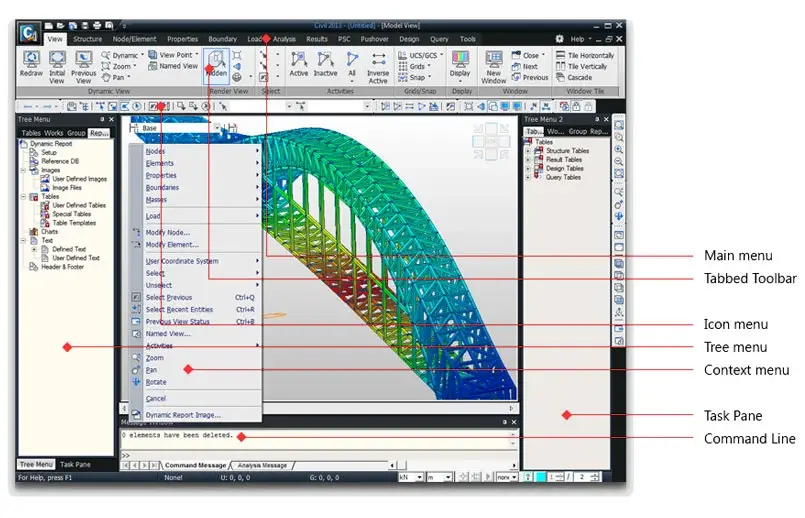
Unique Works Tree Menu

Overview

midas Civil features a unique and innovative Works

Tree Menu display that conveniently organizes data and work progress.

Using the Works Tree Menu, you can easily keep track of your work

progress and make changes instantly.


Various Model Display Methods

Walk-Through View

Blending Effect

Shrinkage View

Perspective View

Remove Hidden Line

Wireframe View

Walk-through experience provides the advantage of examining in detail deformations and stresses at any point of interest for the structural model.
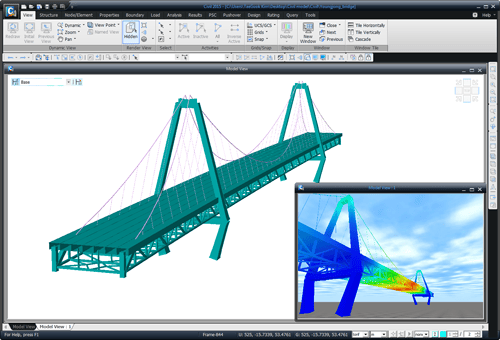
7Walk-Through View

A model can be represented through various views, namely, wire frame, hidden, shrink, perspective, rendering, blending effect, etc. Blending effect enables the user to adjust the extent of transparency by material types, element types or other attributes. Interior structural elements can be realistically viewed through the exterior elements without eliminating or deactivating such exterior elements in a complex structure.
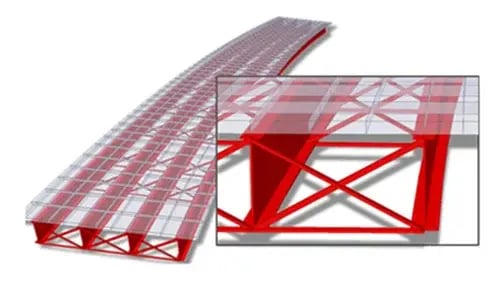
Blending Effect

Various modal display methods assist the user to accurately grasp the 3D views of the model , and results through diverse view angles and points. A model can be represented through various views, namely,wireframe, hidden, shrink, perspective, rendering, blending effect, etc.
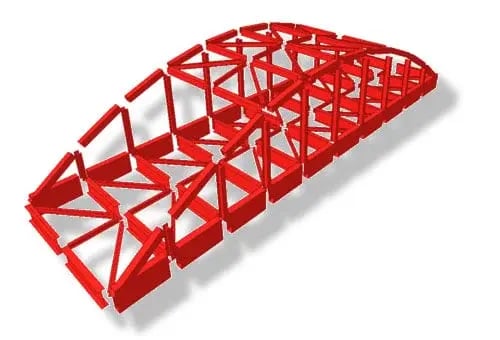
Shrinkage View

Various modal display methods assist the user to accurately grasp the 3D views of the model , analysis and results through diverse view angles and points. A model can be represented through various views, namely, wireframe, hidden, shrink, perspective, rendering, blending effect, etc.
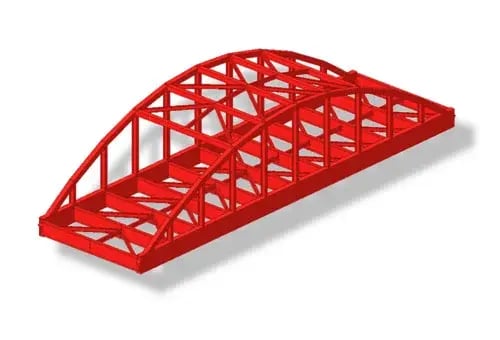
Perspective View

Various modal display methods assist the user to accurately grasp the 3D views of the model , analysis and results through diverse view angles and points. A model can be represented through various views, namely, wireframe, hidden, shrink, perspective, rendering, blending effect, etc.
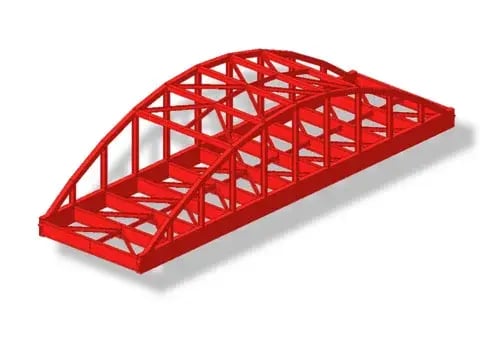
Remove Hidden Line

Various modal display methods assist the user to accurately grasp the 3D views of the model , analysis and results through diverse view angles and points. A model can be represented through various views, namely, wireframe, hidden, shrink, perspective, rendering, blending effect, etc.
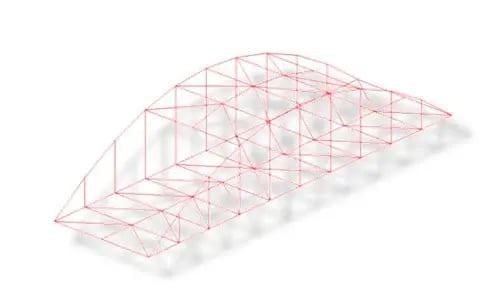
Wireframe View


Easily Manipulate Files and Data

Online Help

MCT Command Shell

Merge Data Files

Data Conversion

The web-based online manual including context-sensitive help is available as well as local help file. Pressing [F1] Key will open the web-based online manual provided that you are connected to the internet.
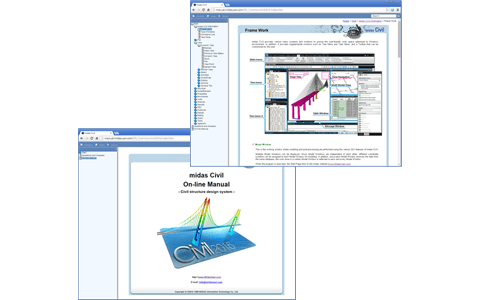
Online Help

Command text input is carried out using the MCT command shell. Entire model data can be defined or generated in text format creating a *.MCT file.
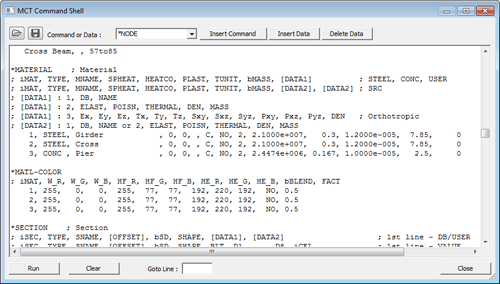
MCT Command Shell

midas Civil enables to divide the modeling task of a complex structure where the geometric configuration is irregular, complicated and large. User can combine several sub-models where the geometric shapes are modeled separately for the final structural analysis model.
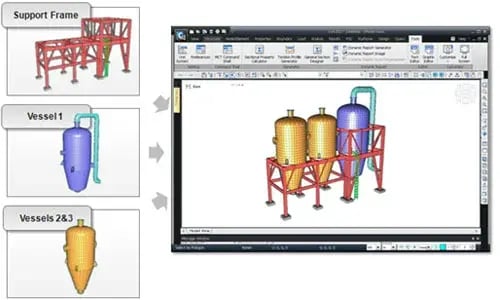
Merge Data Files

midas Civil supports conventional model generation using nodes and elements as well as other means of generating models via data conversion. Data exchange with DXF files of AutoCAD is possible. Moreover, full compatibility is maintained among the group of midas Family Programs: midas Civil, midas CIM, midas Gen, midas Design+, midas GTS NX, midas NFX, and midas FEA NX. For example, tendon profiles or concrete girders can be exported to midas FEA for detailed analysis.
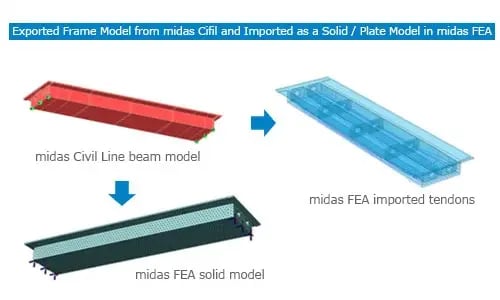
Data Conversion

Here you can edit the background of the section

The new process through a new platform,
Contact now for questions and trial.


Go try now >